I am learning flutter from JustAcademy, They provide very much great environment where people gather and work simultaneously. totally project based training institute.
MOHD ABU BAKAR ANSARI
Flutter Developer
Awesome Experience. I am a Front-end Web Designer working at Star India for 3 years now. I applied for Full-stack development and my experience has been phenomenal & they really do help with placements exceptionally. Thank you Roshan sir so much.
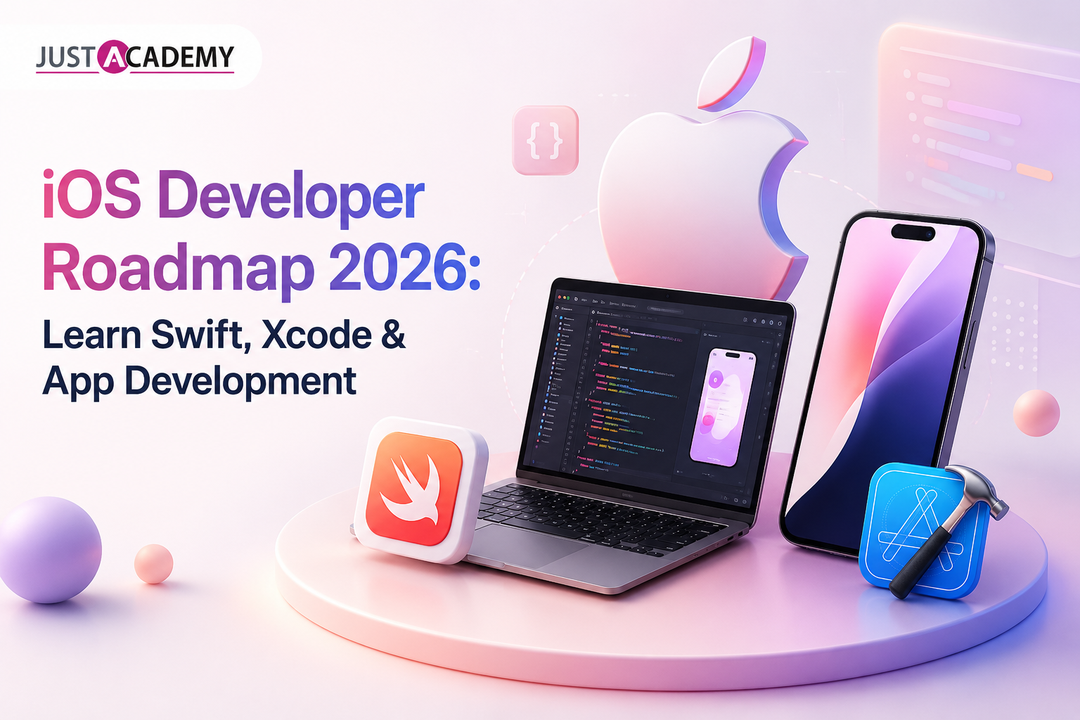
A Complete Guide for Pune Aspirants Who Want to Master iOS App Development Through Live Interactive Training
There is a particular kind of excitement that hits when you unlock an iPhone and realize every single app you tap into was built by someone who once sat exactly where you are sitting now, wondering where to even begin. If you are in Pune and have been circling around the idea of stepping into ios development, this guide is written for that exact moment of hesitation. We are going to walk through the entire roadmap, from the very first line of Swift you will ever write to the point where you are confidently shipping apps to the App Store, and we will do it without the fluff that usually clutters these guides.
Before we go further, here is something worth knowing early. A lot of Pune based learners assume that because JustAcademy's physical classroom is based in Mumbai, they somehow miss out on the full learning experience. That is not how it works anymore. Through live interactive sessions, Pune students join the exact same classes, ask the exact same questions in real time, and get mentored by the exact same instructors as someone sitting in the Mumbai campus. The screen sharing, the doubt solving, the mentor led project reviews, all of it happens live, which means you are never learning from a recorded video wondering if your question will ever get answered.
Why iOS Development Is Still One of the Smartest Career Bets in 2026
There was a stretch of years when people debated whether native mobile development would eventually get replaced by web technologies pretending to be apps. That debate has quietly settled itself. Apple's ecosystem keeps expanding rather than shrinking, and with it, the demand for genuine ios app developers who understand the platform at a deeper level than surface level tutorials allow.
The Numbers Behind the Opportunity
India has become one of the largest markets for iOS talent outsourcing, and Pune specifically has grown into a hub for product companies and startups that build for Apple devices first. Companies are not just looking for someone who can copy paste from Stack Overflow. They want ios mobile developer talent who understands memory management, app lifecycle, and how to ship something that survives Apple's review process without twenty rejections.
Where Swift Fits Into the Bigger Picture
Swift language was introduced by Apple specifically to make ios coding more approachable while still being powerful enough for demanding applications like banking apps, health trackers, and AR experiences. Unlike older Objective C code that intimidated a lot of beginners, swift programming language reads almost like plain English once you get past the first few weeks, which is exactly why so many people asking how to become an ios developer start their journey here.
Building Your Foundation: Swift Programming and Core Concepts
Every roadmap that skips the fundamentals ends up producing developers who can follow tutorials but freeze the moment something breaks in a real project. So let us be honest about what actually needs to happen first.
Getting Your Hands Dirty With Swift Syntax
You cannot shortcut swift syntax. Variables, constants, optionals, closures, and control flow are the building blocks that everything else rests on. Optionals in particular trip up a lot of newcomers because Swift forces you to think about the possibility of nil values in a way that many other languages do not. This feels frustrating for the first week and then suddenly clicks, and once it clicks you start writing safer code almost automatically.
Object Oriented Thinking in Swift Coding
Once the basics settle, swift coding moves into classes, structs, protocols, and inheritance. Structs deserve special attention here because Swift leans heavily on value types rather than reference types compared to older languages, and understanding this distinction early saves you from confusing bugs down the line where you expected an object to update but it silently did not.
Practicing With Real Mini Projects
Reading about swift programming and actually writing it are two very different experiences. A calculator app, a to do list, a simple quiz game, these small projects force you to apply concepts instead of just recognizing them. This is also exactly where mentor led sessions matter the most, because a mentor watching your code in real time can catch the small habits that would otherwise turn into big problems six months later.
Getting Comfortable With Xcode and the Apple Developer Ecosystem
Learning to code is only half the story. The other half is learning the tools that turn code into an actual working app on someone's phone.
Understanding Xcode Software Inside Out
Xcode software is Apple's official development environment, and it does a lot more than most beginners expect. Interface Builder, the debugger, the simulator, Instruments for performance profiling, all of it lives inside one application. Spending real time exploring xcode software rather than just using the parts a tutorial mentions is what separates someone who can build a toy app from someone who can maintain a production one.
Working With the iOS Software Development Kit
The ios software development kit gives you access to frameworks for everything from camera access to location services to push notifications. Getting familiar with how Apple structures its documentation, and learning to actually read Apple's own guides instead of relying only on third party blogs, is a skill in itself that pays off for the rest of your career.
Simulators, Devices, and Debugging Realities
Testing on a simulator is convenient, but real device testing catches issues that simulators simply cannot replicate, especially around performance and gestures. New apple developers often skip this step until their first App Store rejection teaches them otherwise the hard way.
SwiftUI Versus UIKit: Which Should You Learn First
This is one of the most common questions Pune learners bring into their first mentor session, so it deserves its own dedicated section rather than a passing mention.
What SwiftUI Brings to the Table
SwiftUI is Apple's modern declarative framework, and it has genuinely changed how fast you can build interfaces. Instead of manually wiring up views and constraints, you describe what the interface should look like and SwiftUI handles the rendering. For anyone starting fresh in 2026, SwiftUI is generally the smarter entry point.
Why UIKit Still Matters
That said, a huge number of existing production apps still run on UIKit, and many companies expect at least working knowledge of it during interviews. Understanding UIKit also deepens your grasp of how iOS actually handles view hierarchies under the hood, which indirectly makes you better at SwiftUI too.
Aspect
SwiftUI
UIKit
Learning Curve
Beginner friendly, declarative syntax
Steeper, more manual setup
Industry Usage
Growing rapidly in new projects
Still dominant in legacy and enterprise apps
Development Speed
Faster prototyping and live previews
Slower but highly customizable
Best For
New apps, startups, modern UI
Complex legacy systems, fine grained control
Future Outlook
Apple's clear long term direction
Gradually being layered under SwiftUI
The Step by Step iOS Developer Roadmap for 2026
Let us bring everything together into an actual sequence you can follow, because scattered advice without order tends to leave people more confused than when they started.
Months One and Two: Language and Logic
Focus purely on swift syntax, control flow, functions, and basic object oriented concepts. Resist the urge to jump into app building too early. A shaky foundation here shows up painfully later.
Months Three and Four: Tools and Interface
Move into Xcode deeply, then start SwiftUI. Build several small apps back to back rather than one big one. Repetition across different small projects builds pattern recognition faster than one long project ever will.
Months Five and Six: Real World Integration
Start working with networking, APIs, local storage using Core Data or SwiftData, and authentication flows. This is where custom ios app development starts feeling like actual professional work rather than classroom exercises.
Months Seven Onward: Portfolio and App Store Readiness
Build two or three polished apps you can genuinely show off, learn the App Store submission process, understand app signing and provisioning profiles, and start applying for roles or freelance projects. If you want to see how tutorials and structured learning paths look side by side, JustAcademy's own iOS development tutorials resource walks through several of these stages in more detail.
Native iOS Development Versus Cross Platform Options
Anyone researching ios app development price and timelines eventually runs into the native versus cross platform debate, so it deserves an honest breakdown rather than a biased dismissal of either side.
The Case for Native iOS Development
Native ios development, meaning Swift and the official SDK, gives you the smoothest performance, full access to the newest Apple features on day one, and the most predictable long term maintenance. For apps where performance and polish genuinely matter, native remains the gold standard.
Where Flutter and React Native Fit In
Flutter mobile app development and React Native both let teams build for iOS and Android from a largely shared codebase, which can lower application development cost significantly for startups working with tight budgets. If you are curious about these paths alongside iOS, JustAcademy also runs dedicated flutter training in Pune and react native training in Pune programs, both delivered through the same live interactive format.
Making the Right Choice for Your Career
If your goal is to become a specialist and eventually work on high performance, App Store featured apps, native ios development is the stronger long term bet. If you want flexibility across platforms early in your career, pairing Swift knowledge with something like flutter mobile app skills can actually make you more employable, not less.
Essential iOS Developer Skills Beyond Just Coding
Technical ability alone rarely makes someone a complete ios app developer. A few softer, often overlooked skills matter just as much.
Reading Human Interface Guidelines
Apple's Human Interface Guidelines shape how every polished app feels intuitive. Ignoring these guidelines is one of the fastest ways to get an App Store rejection, and understanding them separates hobbyist apps from genuinely professional ones.
Version Control and Collaboration Habits
Git, pull requests, code reviews, these are not optional extras. Almost every real ios developer skills checklist used by hiring managers today includes comfort with collaborative workflows, not just solo coding ability.
Debugging Patience and Problem Solving
iOS development, like most software work, spends more time debugging than writing fresh code. Developing patience for tracking down obscure crash logs is a skill that only comes with practice, ideally guided practice where a mentor can show you shortcuts rather than you discovering everything through trial and error alone.
Understanding iOS App Development Price and Career Earnings
People searching for ios development guidance often have two separate questions tangled together, one about what it costs to build an app, and one about what they could eventually earn as a developer.
What Businesses Typically Pay for Custom Apps
Custom ios app development pricing in India varies widely based on complexity, ranging from relatively simple utility apps to feature heavy platforms involving payments, real time data, and complex backend integration. Clients researching application development cost usually discover that native development, while sometimes pricier upfront, saves money over time through fewer bugs and smoother updates.
What This Means for Your Own Career Trajectory
For someone becoming an iphone developer, this pricing reality translates directly into earning potential. Companies paying well for quality native work are also willing to pay well for developers who can deliver it, especially those who understand ios development technologies deeply enough to avoid costly mistakes.
Why Structured Training Changes the Learning Curve
Self teaching is possible, plenty of ios developers today are proof of that, but it usually takes far longer and involves a lot of avoidable frustration. This is where structured training genuinely earns its reputation.
JustAcademy runs its ios app development programs through live interactive sessions and instructor led classes, meaning Pune learners are never left to figure things out alone from a static video library. Every session is mentor led, with real time doubt clearing, live coding demonstrations, and project feedback that actually reflects industry standards. Even though the physical classroom sits in Mumbai, the entire course experience for Pune students happens through the same live, interactive format that in person learners get, right down to placement support once the course wraps up. Being ISO certified also means the curriculum itself is regularly reviewed against current industry expectations rather than left stale for years. If you want a closer look at how a full mentor led program is structured, the ios developer training guide breaks down what a typical batch actually looks like week by week.
For anyone who eventually wants to branch into building for Android as well, the same live interactive teaching model extends into android app development in Pune, taught with the same emphasis on mentor guided, project based learning rather than passive video watching.
Common Mistakes First Time iOS Learners Should Avoid
A roadmap is more useful when it also flags the traps that quietly derail people, so here are a few worth naming directly.
Jumping Into App Store Submission Too Early
Rushing an unfinished, buggy app toward App Store submission almost always ends in rejection and wasted time. It is better to polish thoroughly and submit once with confidence than to submit repeatedly out of impatience.
Ignoring Apple's Documentation
Relying entirely on outdated YouTube tutorials while ignoring Apple's own updated documentation leads to learning deprecated patterns that will not hold up in real interviews or real jobs.
Learning in Isolation Without Feedback
Coding alone with no mentor to review your work means bad habits go unnoticed for months. This single mistake is probably the biggest reason self taught learners take twice as long to become job ready compared to those in mentor led environments.
Conclusion
Becoming a skilled ios app developer in 2026 is absolutely achievable, and the path is clearer now than it has ever been. Swift has matured into a genuinely approachable language, Xcode and SwiftUI keep getting friendlier for beginners, and the industry demand for capable native ios development talent shows no signs of slowing down. What actually determines how fast someone moves along this roadmap usually comes down to guidance, feedback, and consistency, which is exactly what structured, live interactive, mentor led training is built to provide, whether you are sitting in Mumbai's classroom or joining live from Pune.
If this roadmap has you ready to actually start rather than keep reading about starting, the next step is simple. Register for a free demo and sit in on a live session before committing to anything, or download the brochure to see the complete curriculum breakdown for yourself.
Why iOS Development Is Still One of the Smartest Career Bets in 2026
Building Your Foundation: Swift Programming and Core Concepts
Getting Comfortable With Xcode and the Apple Developer Ecosystem
A practical, honest guide to frontend developer skills, the roadmap that actually works, and how live instructor led and mentor led training can get you hired
A practical, no fluff guide to the front end developer skills Delhi employers test for, and how mentor led, live interactive training helps you build them.
A practical, example driven guide to ES6 JavaScript for learners in Delhi who want to write modern code, think like a developer and get job ready with live instructor led and mentor led training
From your first Angular app to real time dashboards, here is a practical, mentor backed list of angular projects for practice, with source code thinking, live interactive sessions and placement support.
From a humble to do list to a Node JS backend, here are the javascript project ideas that actually teach you something and give recruiters a reason to click your GitHub link.
A straight talking guide for Delhi freshers, career switchers and non tech graduates on choosing the right IT certification, and why live interactive, instructor led and mentor led training makes the difference
A grounded, honest guide for Delhi learners on skills, salaries, jobs and the learning path behind each IT career, backed by live, instructor led and mentor led training
A straight talking guide for Delhi learners on what mobile app developers really earn, which skills raise the number, and how live, mentor led training can shorten the road from beginner to hired.
A practical guide for Delhi learners covering react native app ideas for beginners, live mentor led practice, and a portfolio that actually gets interviews
Drop us a Query
+91 99871 84296
Available 24x7 for your queries
Want To Connect with us
🚀 Kickstart Your IT Career
with JustAcademy
Learn Industry-Focused Courses with Live Projects & Placement Assistance
Full Stack Java(Java, Spring Boot, Hibernate, REST API, React JS)
Data Analytics(Excel, SQL, Power BI, Python, Tableau)